
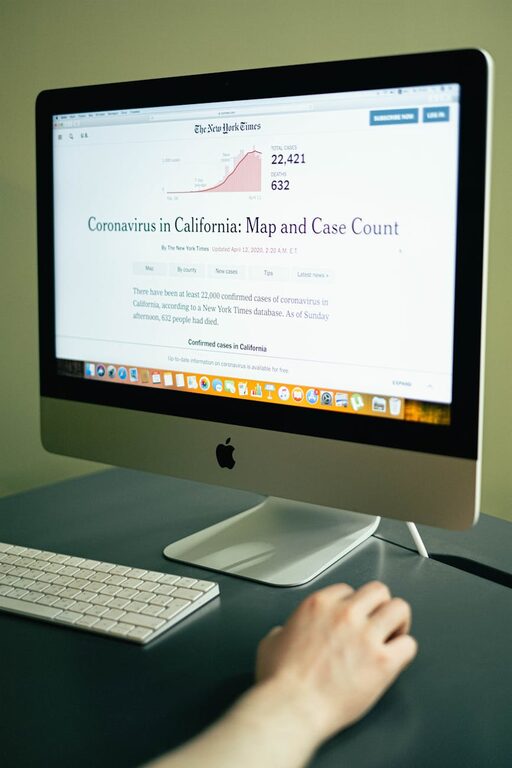
How to Protect Your Eyes During Screen Time: Simple and Effective Tips
In our increasingly digital world, screens are everywhere—from computers and smartphones to tablets and TVs. While these devices bring convenience and entertainment, long hours of screen time can lead to eye discomfort and strain. Protecting your eyes during screen use is essential for maintaining good vision and overall eye health. This guide offers straightforward, effective tips to help you care for your eyes during screen time.
Understanding Digital Eye Strain
Digital eye strain, also known as computer vision syndrome, refers to a group of eye and vision-related problems resulting from prolonged screen use. Common symptoms include:
– Dry or irritated eyes
– Blurred vision
– Headaches
– Eye fatigue
– Neck and shoulder pain
These problems often occur because focusing on screens requires more effort than reading print, and screen glare or improper lighting can worsen the strain.
Tips to Protect Your Eyes During Screen Time
1. Follow the 20-20-20 Rule
One of the simplest yet most effective ways to reduce eye strain is the 20-20-20 rule. Every 20 minutes, look at something 20 feet away for at least 20 seconds. This exercise relaxes the eye muscles involved in close-up focusing and helps prevent fatigue.
2. Adjust Your Screen Position
The position of your screen plays a big role in how comfortable your eyes feel:
– Place your screen about an arm’s length (20-24 inches) away.
– The screen should be slightly below eye level, so your eyes look down slightly when viewing the center of the screen.
– Avoid glare from windows or overhead lights by adjusting your screen angle or using curtains or blinds.
3. Optimize Lighting and Reduce Glare
Glare on screens forces your eyes to work harder, increasing fatigue. To reduce glare:
– Use an anti-glare screen protector if necessary.
– Position your screen perpendicular to windows rather than facing or back to them.
– Use adjustable lighting rather than harsh, overhead fluorescent lights.
– Consider using a desk lamp with a soft light.
4. Adjust Screen Settings for Comfort
Modern devices offer various display settings you can fine-tune:
– Brightness: Match the screen brightness to the lighting in your environment. Too bright or too dim can cause strain.
– Text size and contrast: Increase text size and adjust contrast for easier reading.
– Color temperature: Some screens offer “night mode” or blue light reduction settings that may reduce eye discomfort after dark.
5. Blink More Often
Blinking helps keep your eyes moist by spreading tears evenly across the surface. When focusing on screens, people tend to blink less, leading to dry eyes. Remind yourself to blink regularly, or try artificial tears if needed.
6. Take Regular Breaks
Apart from the 20-20-20 rule, take longer breaks to rest your eyes completely:
– Every hour, stand up, stretch, and look around your environment.
– Give your eyes at least 5–10 minutes break away from screens every couple of hours.
7. Use Proper Eyewear
If you wear glasses or contact lenses, ensure your prescription is up to date. Specialized computer glasses can help reduce glare and eye strain. Blue light filtering lenses are popular, but the evidence for their effectiveness is mixed; however, they may provide comfort for some users.
8. Maintain Good Posture
Eye strain can be worsened by poor posture, which causes neck and shoulder pain. Sit comfortably with your back supported, feet flat on the floor, and wrists in a neutral position. Keep your screen at eye level to avoid tilting your head excessively.
9. Keep Screens Clean
Dust and fingerprints can cause small distortions or glare. Clean your screens regularly using appropriate cleaning solutions and soft cloths to maintain clarity.
Additional Tips for Healthy Vision
– Stay Hydrated: Drinking water supports tear production and eye moisture.
– Eat a Balanced Diet: Foods rich in omega-3 fatty acids, vitamins A, C, and E support eye health.
– Get Regular Eye Exams: Monitor your vision and catch issues early by visiting an eye care professional annually or as recommended.
Conclusion
Protecting your eyes during screen time doesn’t require expensive equipment or complicated routines. Simple habits like following the 20-20-20 rule, adjusting screen settings, managing lighting, and taking breaks can make a significant difference. Incorporate these tips into your daily routine to reduce eye strain, stay comfortable, and preserve your vision for the long term.
By being mindful of how you use screens and caring for your eyes consistently, you can enjoy all the benefits of technology without the discomfort. Remember, healthy eyes contribute to overall well-being and productivity, so take care of them every day!
